
For radio stations, webcasters & live streamers
The Show Schedule and Player Plugin Built for Radio Stations on WordPress®
Publish a drag-and-drop show schedule, give every show and host an SEO-friendly page, and keep your stream playing across every page. No code required.
Works with the stream host you already use — Shoutcast, Icecast, Live365 and more.
14-day free trial · 30-day money-back guarantee · Works with the WordPress block editor, Elementor and Beaver Builder
Trusted by stations around the world


What it does
Everything your station’s website needs, in one plugin
Radio Station PRO adds three things to your WordPress® site: a schedule listeners can use, a home for every show and host, and a player that never drops the stream.
Publish a schedule listeners can use
Drag and drop shows onto a weekly schedule, catch overlaps before they go live, and let listeners browse by grid, calendar or list — in their own time zone.
Give every show a home online
Show pages, host and DJ profiles, episodes and playlists — all real, indexable WordPress content that helps listeners and search engines find you.
Keep listeners listening
A player bar that keeps your stream playing while visitors browse your site — no restarts, no dead air between pages. Run up to three streams in one player.
Who it’s for
Broadcasting shouldn’t require a broadcast budget
Radio Station PRO gives independent stations and webcasters the scheduling, show management and streaming tools that once took custom development — built natively for WordPress®, with no code required.
Community & college radio
Volunteer-friendly roles, a schedule that’s easy to update, and profiles for every DJ.
Internet radio & webcasters
A professional site for your streams with show pages that rank in search.
Live streamers & podcasters
Publish a recurring show schedule so your audience knows when to tune in.
Agencies & web developers
Build station sites faster with blocks, Elementor and Beaver Builder widgets, and a REST API.
Know what you’re getting
What Radio Station PRO is — and what it isn’t
Radio Station PRO is a WordPress® plugin for your station’s website. It works alongside the tools you already use to produce and deliver your broadcast.
It does
- Publish and manage your show schedule on your website
- Create show, host, episode and playlist pages
- Play your stream in a persistent player on your site
- Show listeners what’s on now and what’s next
It doesn’t (use these instead)
- Host or create your stream — use a stream host such as StreamAudio.co (our preferred partner), Shoutcast, Icecast or Live365
- Run your on-air automation — keep using your current playout system
- License your music — consult your territory’s performing rights organizations
Scheduling
Plan your schedule visually — and fix conflicts before listeners see them
Edit show times directly on the schedule, on the backend or the frontend. Add shifts and one-off override times, then update, duplicate or remove entries in a click. A built-in conflict checker stops overlapping shifts from going live.
Saves hours on weekly schedule changes · Recurring and one-off overrides · Conflict checker
Listener experience
A schedule that fits your site and your audience
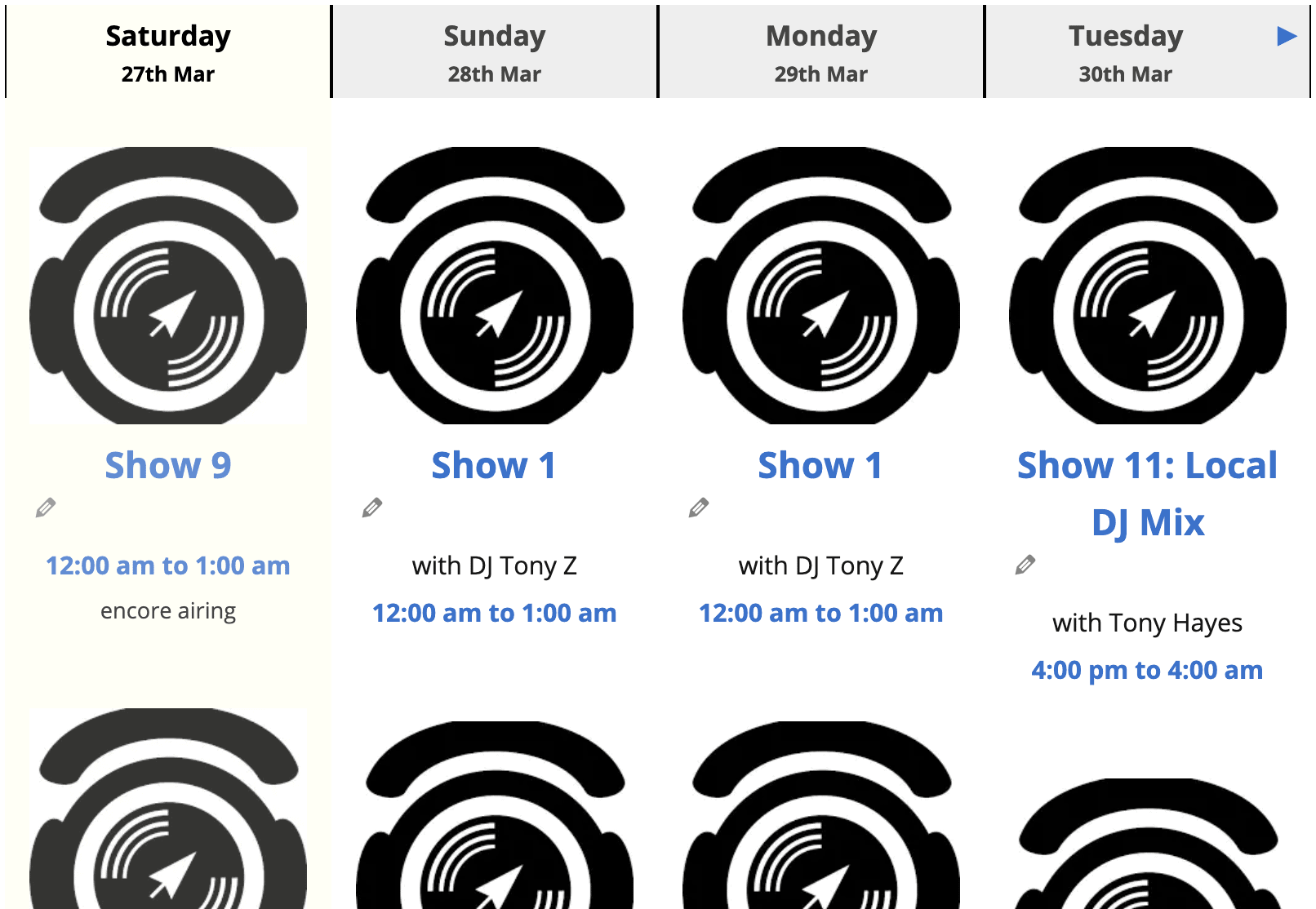
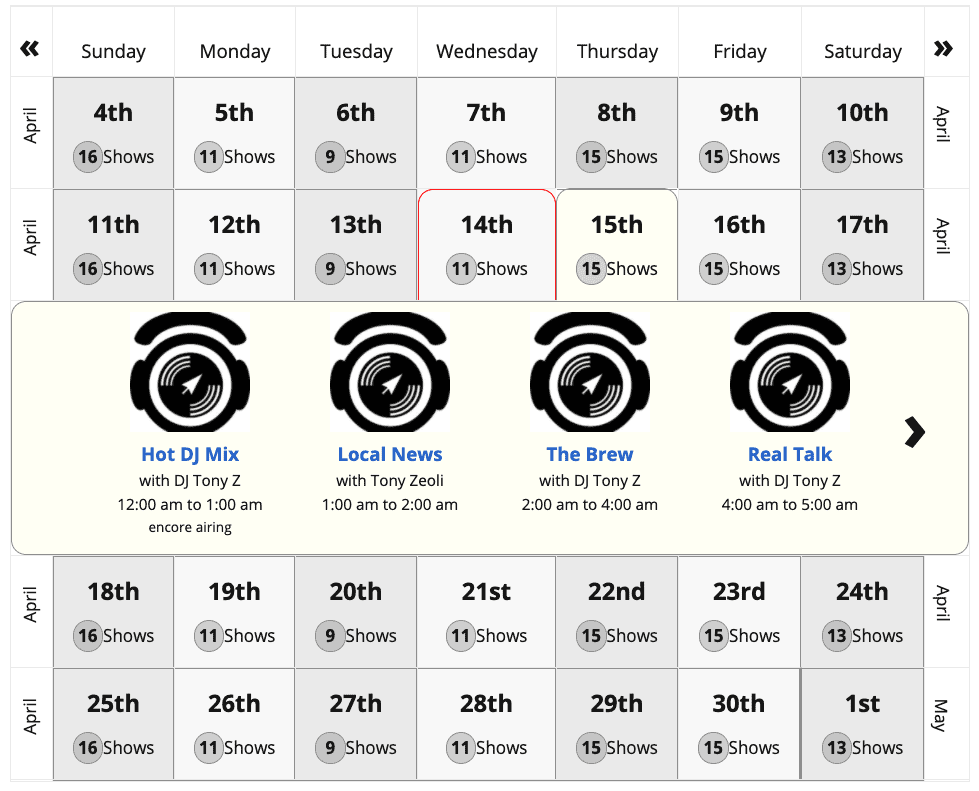
Choose from responsive schedule layouts that inherit your theme’s look and feel. Listeners switch between views, filter by genre and see show times in their own time zone. Widgets refresh automatically at show changeovers, with no page reload.
Show content
Turn every show into a page people can find
Each show, host and episode becomes real WordPress content, so your station is discoverable in search and your audience has more to explore.
Show pages that work on every device
SEO-friendly show pages with host and producer profiles, contact and social icons, and tabs that pull in related posts, episodes, hosts and playlists automatically.
Episodes your audience can replay
Attach episodes to shows with audio recordings for archived playback, plus descriptions, topics and guests — more pages for search engines and more reasons for listeners to return.
Playlists connected to your shows
Document what played and link playlists to the related shows and episodes, so listeners can find the track they heard.
Widgets, blocks and shortcodes
Show the current or upcoming show anywhere on your site, with configurable widgets, WordPress blocks and developer-friendly shortcodes.
Time zone switcher
Listeners switch to their own time zone and see your whole schedule in local time — ideal for audiences in other countries.
Roles for your whole team
Assign plugin user roles to many team members at once from a single screen, so volunteers edit only what they should.
Included in PRO · also sold separately
Stream Player PRO: keep listeners listening on every page
Your stream plays in a bar that stays put while visitors browse your site — no restarts, no dead air between pages.

Works with Shoutcast · Icecast · Live365 · MP3 · OGG · FLAC
New
Multi-Stream Playback
Run up to three signals in one player. Listeners click a thumbnail to switch streams instantly — ideal for stations with sister signals or sub-brands under one site — and track info updates to match.
Keeps playing while visitors browse
A sticky header or footer bar with smooth page fades, so audio never cuts out on a click.
Shows what’s playing now
Artist and title from Icecast, Shoutcast or Live365 metadata, or from your current playlist.
Matches your brand
Choose button colors, bar colors, highlights and controls to fit your site.
One stream at a time
Only one tab or window plays at once, so listeners never hear overlapping audio.
Plays the formats you use
MP3, M4A, OGG, FLAC, WAV and more, with wide browser support.
Live365 geo-blocking
Restrict playback to Live365-approved territories: the United States, Canada, the UK and Mexico.
Don’t need the full plugin? Use Stream Player PRO as an add-on with the free version of Radio Station.
Radio Station PRO plays your stream but doesn’t host it; stream hosting is on our roadmap. You’ll need a stream host, and music licensing from your territory’s performing rights organizations.
Want to run your own server? Shoutcast and Icecast are great self-hosted options. Prefer a managed service? We recommend our partner StreamAudio.co (Preferred Partner), along with StreamGuys, Live365, RadioMast, Caster.fm, and Radio.co.
Free, PRO and Player
See what you get at each level
Start with the free plugin from WordPress.org. Upgrade to PRO for the visual editor, episodes and everything else on this page, or add just the player.
Radio Station
Free
on WordPress.org
- Core show schedule and show pages
- Current and upcoming show widgets
- WordPress blocks and shortcodes
Best Value
Radio Station PRO
$9.99 / month
Everything in Free, plus:
- Visual schedule editor with conflict checker
- Recurring overrides and extra views
- Host & producer profiles, episodes
- Time zone switcher, user roles
- Elementor and Beaver Builder modules
- Stream Player PRO included
Stream Player PRO
$6.99 / month
Add-on for the free plugin
- Persistent player bar
- Multi-stream playback
- Animated track metadata
- Color themes and popup player
How it works
From install to on-air schedule in three steps
1
Install the free plugin
Add Radio Station from WordPress.org to your self-hosted WordPress site.
2
Start your 14-day PRO trial
Upgrade when you’re ready and unlock the visual editor, episodes and Stream Player PRO.
3
Build and publish
Add your shows, drop them on the schedule, and display it with blocks, Elementor or Beaver Builder. No code required.
Works with your workflow
Build with the tools you already know
Radio Station and Radio Station PRO support popular page builders, so you can style your station’s site your way.

All versions
WordPress® Blocks
Every widget is available as a block for block-based WordPress themes, including in the free version.

PRO only
Elementor
Add every part of Radio Station PRO to your pages as native Elementor widgets.

PRO only
Beaver Builder
Add every part of Radio Station PRO as Beaver Builder modules.
What broadcasters say
Stations rely on Radio Station PRO every day
Join broadcast and streaming stations worldwide who use Radio Station PRO to help listeners discover the content they care about.
★★★★★
Thanks to the support of the developers and other members of the Radio Station Plugin community on GitHub this plugin is your one-stop for Radio Stations that have a WordPress site!
kairandlesglobal
★★★★★
This plugin has come on leaps and bounds since its first conception, and so glad that it is now being actively developed after being adopted not so long ago. As more and more users discover the plugin and create our own customisations to suit our projects, the support team are listening to our discoveries and making milestones to fix/complete. The support is the best I’ve ever discovered on WordPress. This plugin is only going to get better in time. If you run a radio station, this plugin will really help you display a dynamic schedule on your website.
astevens93
★★★★★
We’ve been using this plugin for 4 years, and it does all the things we need for our community station, and more. The new schedule modules are so much better than before and it’s great to see the plugin developing.
djsilverfox
What's the difference between Radio Station (free), Radio Station PRO and Stream Player PRO?
Radio Station is the free core plugin on WordPress.org for publishing a show schedule and show pages. Radio Station PRO adds the visual schedule editor, recurring overrides, host and producer profiles, episodes, the time zone switcher, Elementor and Beaver Builder modules, and Stream Player PRO. Stream Player PRO is also available on its own as an add-on for the free plugin.
Do I need a stream host?
Yes. Radio Station PRO plays your stream on your website, but it doesn't host or create it. You need a stream host such as StreamAudio.co (our preferred partner), Shoutcast, Icecast or Live365, and the appropriate music licensing from performing rights organizations in your territory. Stream hosting is on our roadmap.
Who should use Radio Station PRO?
Any broadcaster of scheduled content: terrestrial and internet radio stations, community and college radio, webcasters, podcasters, Clubhouse moderators and Twitch streamers. If you need to post a show schedule on a WordPress website, Radio Station PRO is the right plugin.
What do I need to use Radio Station PRO?
A self-hosted WordPress website, or a WordPress.com Business plan that allows plugins. Install the free Radio Station plugin from WordPress.org, then upgrade to Radio Station PRO.
Do I need to be a developer or know how to code?
No. Radio Station PRO is easy to install and configure, and no coding skills are required. You should be comfortable installing WordPress plugins and using a content management system.
Will Radio Station PRO slow down my website?
No. It is built to current WordPress coding standards by a team with many years of WordPress development experience.
Is Radio Station PRO translation ready?
Yes. Radio Station PRO has full translation and localization support.
Does Radio Station PRO work on non-WordPress sites?
No. Radio Station PRO is a WordPress plugin and doesn't work on sites that don't use WordPress.
Can I try Radio Station PRO before I buy?
Yes. Start with a 14-day free trial. If you aren't satisfied, cancel within the trial period and you won't be charged. If you continue to a paid subscription and aren't satisfied, we'll refund your money within 30 days, no questions asked.
Can I use Radio Station PRO on client sites?
Yes. Buy Radio Station PRO individually for each site or purchase a multisite license. You can also refer stations to purchase from our site with your affiliate link and earn a 20% commission.
Can you help me build my radio station website with WordPress?
Yes. With over 17 years of WordPress development experience, we can design, build and search-optimize your radio station website. Contact us for more information.
Featured on
Audio interview with Radio Station PRO Managing Director, Tony Zeoli — listen on SoundCloud
From the blog
News, tips and tutorials
Release news, how-tos and broadcast and streaming industry insights.
Radio Station 2.7.1 and Radio Station PRO 2.8 — Our Biggest Update Yet
A new Visual Schedule Editor, a smarter stream player, richer station data, and dozens of improvements for broadcasters of every size.
Radio Station by netmix® 2.7.1 Released
A recent stylesheet optimization introduced an unexpected layout bug for some users. Here is the fix.
Radio Station by netmix® 2.7.0 Released
Feature updates and bug fixes from multiple unannounced releases, now available as 2.7.0.
Stay in the loop
Release notes and tips, straight to your inbox
Join our newsletter for Radio Station PRO updates, tutorials, and ideas for growing your station’s online audience.
No spam. Unsubscribe anytime.
Put your schedule, shows and stream on one WordPress® site
Stay in control of your broadcast’s online future, without expensive closed platforms or a patchwork of unrelated tools. Try Radio Station PRO free for 14 days and see it on your own site.